


Video content is everywhere—from the ads you scroll past on Instagram to the tutorials you binge on YouTube. In this digital-first era, videos are a primary communication, marketing, and storytelling tool. But creating high-quality videos isn’t just about the content—it’s about how you present it.
One of the most transformative aspects of video editing is background removal. Whether you’re a content creator, a social media professional, or a business looking to create polished marketing materials, removing unwanted or distracting backgrounds can elevate your videos to a whole new level.
With a clean background, you can shift focus to your subject, add creative elements, and adapt your content for various platforms. This guide explores the best methods and tools for removing video backgrounds, considering cost, effectiveness, and ease of use to help you find the perfect solution.
Why Remove Backgrounds from Videos?
Background removal isn’t just a trendy editing trick—it’s a fundamental way to enhance video quality and versatility. Here’s why it matters:
Enhancing Video Quality
- A clean background gives your videos a professional edge, free from clutter or distractions.
- It allows for creative flexibility, replacing the background with anything from branded visuals to stunning scenery.
Applications
Background removal opens up a world of possibilities:
- Social Media: Craft eye-catching Instagram reels, TikTok videos, or YouTube thumbnails with clean or dynamic backgrounds.
- Marketing Campaigns: Replace dull office walls with sleek, branded visuals for product demos or ads.
- Virtual Meetings: Elevate your Zoom or Teams presentation with professional digital backdrops.
- Films and Creative Projects: Create green screen effects without needing expensive setups.
Common Challenges
Despite its benefits, background removal can come with challenges:
- Lighting Issues: Poor lighting can create shadows, making it harder for tools to distinguish the subject from the background.
- Motion Artifacts: Fast movements can confuse some tools, resulting in incomplete or choppy removals.
- Compatibility: Not all tools support every file format or handle high-resolution videos efficiently.
Understanding these challenges helps you select the right method and prepare your footage for the best results.
Next, explore the top tools and techniques to effectively remove video backgrounds!
Key Techniques for Removing Backgrounds
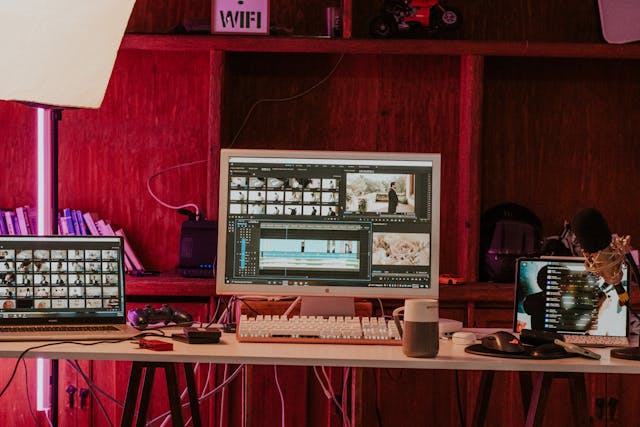
Removing video backgrounds has evolved with technological advancements, providing creators with various methods to achieve professional results. Here are the top techniques, how they work, and their pros and cons.
Green Screen Technology (Chroma Keying)
How It Works
Chroma keying involves recording a subject against a solid green or blue background. Video editing software identifies and removes this colour, allowing you to replace it with another image or video.
Pros
- High Accuracy: Works exceptionally well in controlled environments with proper lighting.
- Creative Freedom lets you insert any background, from branded visuals to dynamic scenes.
- Widely Available Tools: Supported by many professional video editors like Adobe Premiere Pro, Final Cut Pro, and OBS Studio.
Cons
- Setup Requirements: A physical green or blue screen and a well-lit space are required.
- Portability: Not ideal for on-the-go or spontaneous shoots.
Tools
- Adobe Premiere Pro: The industry standard for detailed chroma keying.
- Final Cut Pro: Apple’s high-performance video editor.
- OBS Studio: A free, open-source live streaming and recording option with chroma key support.
If you’re looking for additional tools to explore remove background on video options, Adobe Express offers an intuitive and user-friendly solution that’s perfect for quick edits and professional results alike.
AI-Based Background Removal
How It Works
AI-based tools use machine learning to identify and isolate subjects from backgrounds, removing them automatically without needing a green screen.
Pros
- No Special Setup: Works with footage filmed in regular environments.
- User-Friendly: Requires minimal effort compared to manual techniques.
- Flexibility: Ideal for creators working with existing videos or those without access to controlled setups.
Cons
- Edge Detection: AI tools may struggle with complex edges (e.g., hair or fast movements).
- Lighting Sensitivity: Poor lighting can reduce accuracy.
Tools
- Runway ML: Offers advanced AI-powered background removal with customization options.
- Unscreen: A browser-based tool perfect for quick, straightforward edits.
- ClipDrop: A versatile mobile app and desktop tool for AI-driven background editing.
Masking and Rotoscoping
How It Works
This manual technique involves tracing the subject frame by frame using masking or rotoscoping tools in video editing software. The result is a precisely isolated subject, even in complex scenes.
Pros
- Extreme Precision: Perfect for high-end filmmaking where detail is critical.
- Flexibility: Allows full control over the removal process, even in challenging scenarios.
Cons
- Time-Consuming: Editing frame by frame is tedious and requires patience.
- Skill-Intensive: Demands experience with professional editing software.
Tools
- Adobe After Effects: Known for its robust rotoscoping features.
- DaVinci Resolve: Offers powerful masking tools for detailed background removal.
Top Tools for Background Removal
A variety of tools, from professional desktop software to AI-powered solutions, are available to suit different needs and skill levels. Here’s an overview of the top tools across categories, their standout features, and their ideal applications.
Desktop Software
Adobe Premiere Pro
Adobe Premiere Pro is a leading video editing software with powerful chroma-keying capabilities for removing green screens. It provides advanced controls to fine-tune edges, eliminate colour spills, and integrate new backgrounds seamlessly.
Ease of Use:
Its user-friendly interface is perfect for professionals and advanced creators. Built-in presets and tutorials make it easier to get started.
Ideal Applications:
- Marketing videos requiring polished backgrounds.
- High-quality YouTube or cinematic content.
Final Cut Pro
Apple’s Final Cut Pro combines a sleek design with advanced chroma key tools. It offers real-time rendering and adaptive colour correction, ideal for professionals working on high-resolution videos.
Unique Capabilities:
- Magnetic timeline for easy editing.
- Superior integration with Apple’s ecosystem.
Ideal Applications:
- Mac users create premium-grade video content.
- Professionals are seeking efficient workflows for large projects.
DaVinci Resolve
Advantages:
DaVinci Resolve excels in precision editing with powerful masking, colour grading, and rotoscoping tools. Its free version includes comprehensive background removal features.
Best For:
Advanced users who require detailed control over every aspect of their video.
Online Tools
Unscreen
Unscreen automatically removes backgrounds from videos uploaded to its platform. It’s fast and doesn’t require downloading software. The free version offers limited resolution, while paid plans unlock higher-quality downloads.
Limitations:
Struggles with highly complex edges or fast-moving subjects.
Kapwing
Kapwing is a browser-based editor with background removal options and an intuitive interface. It supports collaborative workflows, making it great for teams. If you’re new to video editing, you might also enjoy exploring quick and easyvideo editing tips with free video makers to enhance your skills.
Clipchamp
Recently acquired by Microsoft, Clipchamp combines video editing with background removal in one package. It’s accessible through most browsers and supports seamless integration with Windows.
Best Features:
- Built-in templates for social media.
- Drag-and-drop simplicity.
Ideal for Beginners or casual users who need an all-in-one solution.
Mobile Apps

Canva Pro
Canva Pro’s mobile app includes background removal tools designed for quick edits on the go. It’s perfect for creating branded content directly from your smartphone.
Unique Features:
- Extensive library of templates and design assets.
- Simple interface suitable for non-designers.
Kinemaster
Kinemaster offers professional-grade editing features on mobile, including chroma keying and multi-layer video editing.
Best for Social media creators are looking for advanced options on mobile devices.
VN Video Editor
VN Video Editor provides various editing tools, including basic background removal, without subscription fees.
Limitations it is not as robust as desktop or AI tools but suitable for simple projects.
AI-Powered Tools
Runway ML
Runway ML uses machine learning to deliver precise background removal, even in complex scenarios. It supports batch processing and detailed adjustments for high-quality results.
Best for advanced creators who need reliable AI-driven tools.
Topaz Video AI
Topaz Video AI is designed for creators who prioritize sharp, professional results. It’s ideal for upscaling footage while removing backgrounds.
Limitations higher learning curve and system requirements.
PixCut by Wondershare
PixCut is perfect for casual users who want a fast, budget-friendly solution for social media or small projects. It’s lightweight and delivers decent results.
User Type Recommended Tool Reason
Social Media Creator Canva Pro, Unscreen Easy-to-use, quick edits
Professional Filmmaker Adobe Premiere Pro Advanced features, detailed results
Beginner Clipchamp, Kapwing Simple interface, browser-based
Tech-Savvy User Runway ML, Topaz Video AI AI-driven precision editing
Conclusion: Elevate Your Videos with Modern Tools
Removing backgrounds from videos has never been more accessible or versatile. From AI-powered solutions to professional-grade editing software, there’s a method and tool for every creator’s needs.
Whether you’re crafting engaging social media posts or high-quality marketing campaigns, modern tools like Adobe Premiere Pro, Canva Pro, and Unscreen simplify the process while delivering stunning results.
For more insights on enhancing your creative projects and lifestyle, check out our article on the benefits of using energy-efficient appliances in your home.